Temple Nile UK on Mobile — Instant Browser Access to Every Game

Temple Nile runs fully in mobile browsers without a standalone Android APK. iOS users can install a native app from the App Store. The full casino catalogue - 2000+ slots, live tables, payments and bonuses - works on any smartphone or tablet. This guide covers setup, system requirements, login, and what to expect from the mobile experience.

50 free spins · cash wins
Get Startedwith bonus
Why Play on Mobile

Speed and stability are the two things that matter most when choosing a mobile casino. Temple Nile's mobile version loads instantly in Chrome or Safari without downloading anything on Android. All 2000+ games run in HTML5, which means no plugins, no lag on mid-range phones, and no forced app updates breaking your session mid-spin.

The interface scales automatically to any screen size - from a 5-inch Android budget phone to a 12-inch tablet. Navigation menus collapse into a touch-friendly sidebar, and game thumbnails resize without losing sharpness. If you play live casino tables with real dealers streamed in HD, the mobile version maintains the same video quality as desktop.

One key difference from desktop: the mobile version occasionally loads a streamlined lobby view that prioritises Popular Games and Live Casino sections. You still reach every category through the menu, but the homepage layout is optimised for vertical scrolling.

What Makes the Mobile Experience Stand Out

Three things separate Temple Nile mobile from a basic browser wrapper:

  • Security: All connections use SSL encryption. The same KYC verification and two-factor protections apply on mobile as on desktop. Your session token is encrypted separately from account data.
  • Bonuses work in full: The 50 Free Spins welcome offer on Big Bass Bonanza, the daily Bonus Wheel, and Temple Tokens accumulation all function identically on mobile. No mobile-specific restrictions apply to UK players.
  • Interface clarity: Provider logos appear on every game thumbnail. You can add games to Favourites with one tap, and the Recently Played section saves you scrolling through 2000 titles to find what you were spinning last session.

The live casino lobby from Evolution Gaming and Pragmatic Play streams without buffering on a standard 4G connection. Wi-Fi improves stability for Dream Catcher and Deal or No Deal game shows, where video sync matters more than in standard slots.

Claim 50 Free Spins

Installing on Android: No APK Needed

Temple Nile does not publish a standalone APK file for Android. There is no official download on Google Play either. The correct method is to open the Temple Nile website in Chrome on your Android device and play directly through the browser.

If you want a shortcut on your home screen, use Chrome's 'Add to Home Screen' option after opening the site. This creates a PWA-style icon that launches the casino directly without typing the URL each time.

Why no APK? UKGC licensing requirements create strict obligations around app distribution and age verification flows. Browser-based access allows the casino to enforce geolocation checks and responsible gambling tools consistently without managing a separate app store release cycle.

If you find a third-party site offering a Temple Nile APK download, treat it as unofficial and potentially unsafe. The only verified access point is the official domain.

Temple Nile mobile browser interface on Android

The mobile site loads in Chrome on Android - no APK download required. Use 'Add to Home Screen' for quick access.

How to Access Temple Nile on Mobile

The process takes under a minute:

  1. Open Chrome (Android) or Safari (iOS) on your device.
  2. Navigate to the official Temple Nile domain.
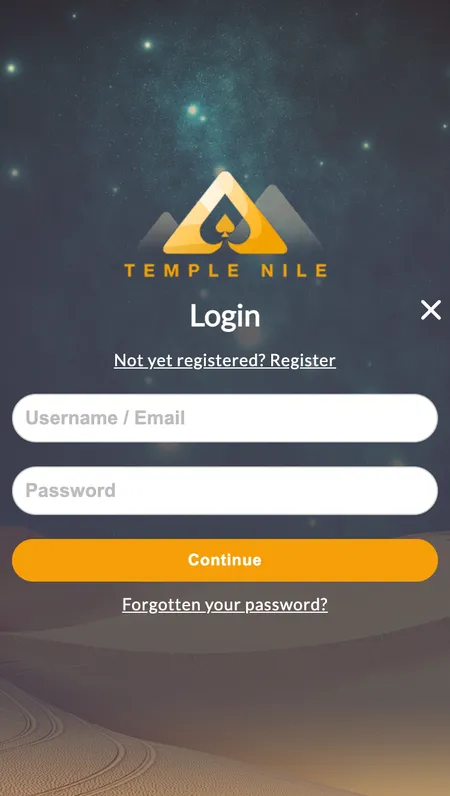
  3. Tap 'Login' in the top-right corner or 'Register' if you are a new player.
  4. For Android: tap the browser menu and select 'Add to Home Screen' to save a shortcut.
  5. For iOS: tap the Share icon in Safari, then 'Add to Home Screen'.

Once saved, the icon behaves like an app: it opens full-screen without the browser address bar, and your login session persists between visits if you stay logged in.

The home page loads within 2-3 seconds on a standard 4G connection. The game catalogue uses lazy loading, so the initial page is fast even if you have a slower connection.

System Requirements

Platform Requirement
iOS iOS 14.0 or higher (App Store version)
Android Chrome browser, Android 8.0+ recommended
RAM Minimum 2 GB for smooth slot gameplay
Connection 4G mobile data or Wi-Fi
Browser Chrome 90+, Safari 14+, Firefox 88+

Live casino streams require a stable connection. For HD streaming of Evolution Gaming tables, a download speed of at least 5 Mbps is recommended. Slots and RNG table games run comfortably on slower connections.

iOS App: App Store Download

Temple Nile has a native iOS application available in the App Store. The minimum iOS version required is 14.0. The app provides the same full casino experience as the browser version, with the addition of push notifications for promotions and bonus alerts.

To install:

  1. Open the App Store on your iPhone or iPad.
  2. Search for 'Temple Nile Casino'.
  3. Tap 'Get' and authenticate with Face ID or your Apple ID password.
  4. Open the app and log in with your existing account credentials.

Push notifications can be configured after installation. You can opt in to receive alerts about the weekly Pharaoh's Cash Giveaway results, Bonus Wheel availability, and deposit confirmations. All notification preferences are managed in the app settings under 'Account'.

Visit Temple Nile

Registering a New Account Through the App

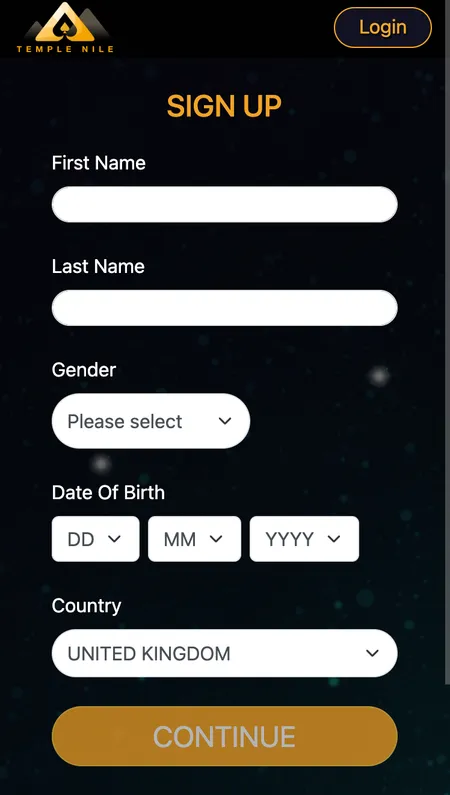
New players can complete the full registration process on mobile. The three-step form works identically to the desktop version:

  • Step 1: First name, last name, date of birth, country of residence.
  • Step 2: Email address, phone number, postal address, city, postcode.
  • Step 3: Username (4-20 characters, no spaces), password (8-64 characters), and currency selection.

Available currencies at registration: GBP, EUR, CAD, NOK, NZD, SEK. UK players register in GBP by default.

After completing registration, you will receive a verification email. Complete email verification before making your first deposit. For full KYC clearance - required before your first withdrawal - upload identity documents directly through the mobile app or browser under Account > Verification.

Temple Nile account registration form on mobile

Registration on mobile follows the same three-step process as desktop. Complete KYC verification early to avoid withdrawal delays.

Bonuses Available in the Mobile Version

Every active promotion at Temple Nile works on mobile without restrictions. For UK players, the current welcome offer gives 50 Free Spins on Big Bass Bonanza after your first deposit of at least £20, provided you wager £10 of that deposit on slots first. Winnings from the free spins go directly to your cash balance (no wagering requirement) up to a maximum of £100.

Beyond the welcome offer, mobile players benefit from:

  • Daily Bonus Wheel: Available after your first deposit. One free spin per day with prizes including bonus funds and extra spins.
  • Temple Tokens: Earned on every real-money wager. Slots and scratch cards earn 2.00 tokens per £10 wagered; blackjack earns 0.50 tokens. Tokens are redeemable in Temple Bazaar for prizes, extra spins, or physical items.
  • Pharaoh's Weekly Cash Giveaway: Accumulate 100 points in a calendar week (£40 cash wagered = 1 point) for a chance to win a share of £500.

Check the full details of all current offers on the bonuses page.

Logging In and Managing Your Profile

Login on mobile uses the same credentials as desktop. Enter your username and password on the login screen. There is no separate mobile PIN or biometric login by default, but iOS users can enable Face ID or Touch ID through their device settings for the Safari or App Store version.

Your account profile on mobile includes:

Section What you can do
Balance View real money and bonus wallet balance
History Check all bets and transactions
Cashier Deposit and request withdrawals
Responsible Gambling Set deposit limits, timeouts, self-exclusion
Verification Upload KYC documents

Deposit limits (daily, weekly, monthly) are set under the Responsible Gambling section. Increases take 24 hours to activate; decreases apply immediately. These settings are synchronised across desktop and mobile - a limit set on desktop applies on mobile too.

Keeping the App Updated

For iOS app users, updates are delivered automatically through the App Store if auto-update is enabled. To check manually: open the App Store, tap your profile icon, and scroll to see pending updates.

For browser-based access on Android, there is nothing to update manually. The casino pushes changes server-side, so you always load the latest version when you open the site. If you notice display issues after a major update, clear your browser cache in Chrome settings under Privacy > Clear Browsing Data.

If the iOS app behaves unexpectedly after an iOS system update, delete and reinstall from the App Store. Your account data is stored server-side, so reinstalling does not affect your balance or history.

Play Now

Games and Payments on Mobile

The full catalogue of 2000+ games is accessible on mobile, "including":

  • Slots: All titles from NetEnt, Play'n GO, Microgaming, Big Time Gaming and 80+ other providers. Megaways, cluster pays, and bonus buy formats work in mobile browsers.
  • Live Casino: Evolution Gaming and Pragmatic Play live tables, including Blackjack, Roulette, Baccarat, Dream Catcher and Deal or No Deal. HD streaming with dealer chat.
  • Table Games (RNG): 27 blackjack variants, 15 roulette variants, baccarat and casino poker.

Payments on mobile cover all the same methods as desktop:

Method Deposit Withdrawal Min
Visa (debit) Yes Yes £20
Mastercard (debit) Yes Yes £20
Skrill Yes Yes £20
Neteller Yes Yes £20
Trustly Yes No £20
Apple Pay Yes No £20
Bank Transfer Yes Yes £20

UK players can only use debit cards, not credit cards, in line with UKGC regulations. E-wallet withdrawals process within 24 hours; card and bank transfer withdrawals take 2-5 working days. Temple Nile charges no fees on deposits or withdrawals.

Security on Mobile

Temple Nile's mobile platform applies the same security framework as the desktop site. SSL encryption protects all data in transit between your device and the server. Session tokens expire after inactivity, requiring re-authentication before continuing play.

The casino holds a UKGC licence (account number 52894) and an MGA licence (MGA/B2C/370/2017). Both regulators require strict data protection and player verification standards. All games use certified RNG systems audited by eCOGRA, iTechLabs and Quinel.

For responsible gambling, mobile users access the same full toolkit: deposit limits, session reminders (every 30, 60 or 90 minutes), time-outs from 24 hours to 6 weeks, and self-exclusion options including GamStop. The National Gambling Helpline runs 24/7 at 0808 8020 133 if you need independent support.

Temple Nile responsible gambling tools on mobile

Deposit limits, reality checks and self-exclusion options are all accessible from the mobile account menu.

Mobile App FAQ

Is there a Temple Nile Android app to download?

No official Android app or APK exists. Access Temple Nile on Android through Chrome browser. You can add the site to your home screen for a shortcut that works like an app.

Where can I download the iOS app?

Search for Temple Nile Casino in the Apple App Store. The app requires iOS 14.0 or higher. It is free to download.

Do mobile bonuses differ from desktop offers?

No. All promotions, including the 50 Free Spins welcome offer and daily Bonus Wheel, are available to mobile players on the same terms.

Can I make deposits and withdrawals on mobile?

Yes. The full cashier is available on mobile. Visa, Mastercard, Skrill, Neteller, Trustly, Apple Pay and bank transfer are all supported. Minimum deposit and withdrawal is £20.

Why can't I find a Temple Nile APK online?

Temple Nile does not release APK files. Any third-party site offering a Temple Nile APK is unofficial. Use only the official website.

Does the mobile version support live casino?

Yes. Evolution Gaming and Pragmatic Play live tables, including Dream Catcher and Deal or No Deal, stream in HD on mobile with a stable 4G or Wi-Fi connection.

How do I reset my password on mobile?

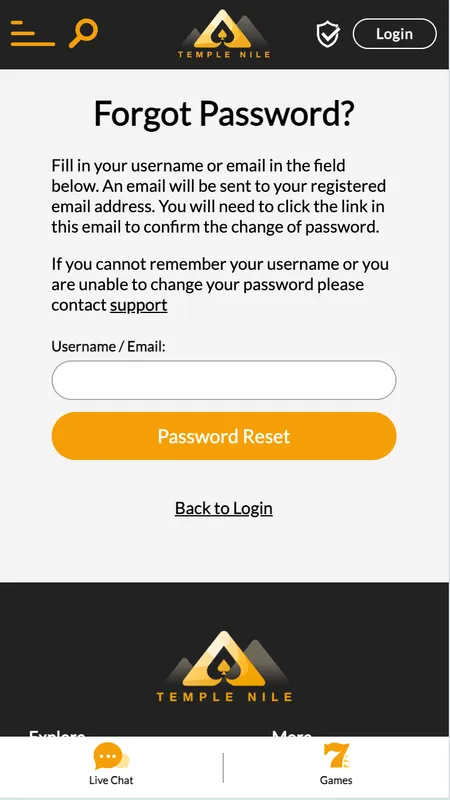
Tap 'Forgot Password' on the login screen. A reset link with a limited expiry time is sent to your registered email address.

Are my deposit limits the same on mobile and desktop?

Yes. All responsible gambling settings, including deposit limits and time-outs, synchronise across devices instantly.

Temple Nile works on any device - open the site in your mobile browser or download the iOS app and start playing with 50 Free Spins on your first deposit.